Easter Canva Frame Template: Design Your Holiday Creations
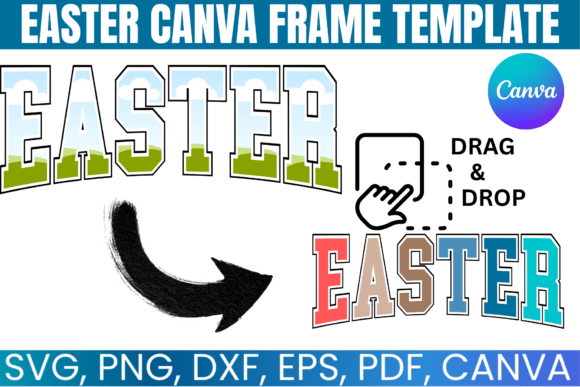
Easter brings a specific visual language: soft pastels, blooming flowers, playful bunnies, and the hopeful symbolism of renewal. For designers, marketers, and content creators, capturing that seasonal spirit efficiently is key. An Easter Canva Frame Template serves as a foundational design asset, offering a structured yet flexible starting point for countless projects. This particular template features a versatile varsity-style frame, blending a classic, slightly collegiate aesthetic with the cheerful themes of the holiday. Its clean lines and open center provide the perfect canvas for customization, allowing you to infuse your own brand or personal style into every piece.
A Versatile Frame for Diverse Projects
The strength of this editable frame template for Canva lies in its adaptability. It's not just for greeting cards. The varsity frame style carries a sense of tradition and accomplishment, making it suitable for a wider range of applications. Imagine using it for church bulletin announcements, where the frame lends a dignified yet approachable feel. For small business owners, it can frame a special Easter promotion on social media, adding a layer of professionalism to a seasonal sale. Bloggers and publishers might use it to create featured images for Easter recipe posts or faith-based articles, ensuring visual consistency across their platforms.
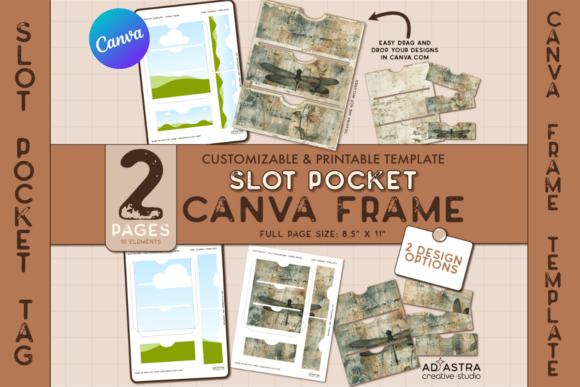
Practically, the template's value is multiplied by its included file formats. The SVG file for Cricut and Silhouette is a game-changer for crafters. It allows for precise cutting of the frame from cardstock, vinyl, or other materials, enabling the creation of physical decorations, custom apparel, or intricate paper crafts. The PNG file with a transparent background integrates seamlessly into any digital project, whether you're layering it in Photoshop or placing it over a photograph. This multi-format approach makes the asset useful for both digital and print-on-demand workflows.
Customization: Making the Template Your Own
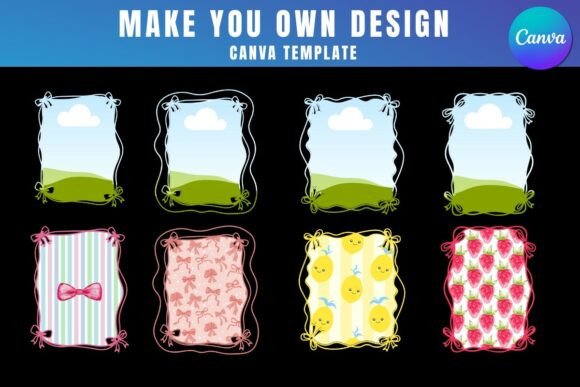
A template is only as good as its potential for customization. This is where the Canva link for easy drag-and-drop editing becomes invaluable. You are not locked into a single design. The process is straightforward: open the template in Canva, and the entire layout becomes editable. You can change the color of the frame to match your brand's palette, swap the background for a textured paper or a springtime photo, and add your own typography. This level of control is critical for maintaining brand identity. A faith-based organization can use consistent colors and a trusted serif font for a cohesive look, while a playful children's brand might opt for a bright palette and a handwritten font inside the frame.
When customizing, consider the principles of visual hierarchy. The frame naturally creates a focal point. The text and imagery you place within it should be the primary message. Use a display font for a headline inside the frame to grab attention, and pair it with a cleaner sans serif font for supporting details elsewhere in your design. The template's structure guides this process, but thoughtful font pairing will elevate the final product from generic to polished. Test different combinations to see what balances readability with the desired mood—elegant, rustic, or modern.
Practical Applications and Design Considerations
Let's explore realistic uses. A marketing manager could use this customizable design template to create a cohesive set of social media graphics. The frame becomes a recognizable element across Instagram posts, Facebook covers, and Pinterest pins, reinforcing campaign messaging. For a print-on-demand business, the template is a launchpad. Apply the frame to a design for mugs, tote bags, or posters. The varsity style appeals to a broad audience, and the ability to easily modify colors and text means you can create multiple product variations quickly, testing different markets.
For personal projects, the applications are equally rich. Use the PDF file with a solid white background for high-quality home printing. Create place cards for an Easter dinner, a framed print for your entryway, or a personalized gift tag. The DXF file for Silhouette users opens the door to vinyl decals for windows or car bumpers, or heat-transfer designs for t-shirts. The key is to view the template not as a finished product, but as a professional-grade design asset that saves you hours of initial layout work. Your creativity then focuses on the details that matter—color, content, and context.
Final Tips for Effective Use
Before finalizing any project, always review the readability of your text, especially when placed over a busy background photo. Ensure there is sufficient contrast. If using the frame for commercial purposes, like selling printed cards or POD products, confirm you understand the licensing of any additional fonts or graphics you incorporate into the Canva editor. The template itself is designed for such use, but third-party elements may have restrictions.
This Easter Canva Frame Template is more than a seasonal decoration. It's a practical tool that blends a classic varsity aesthetic with modern, user-friendly customization. By leveraging its multiple formats and editable nature, you can efficiently produce professional, personalized designs that resonate with your audience, whether for a business, an organization, or a personal celebration. It embodies the principle that good design assets don't just provide a pretty picture—they provide a smart, flexible starting point for real-world creative work.